Steps to manage the address of a deceased traveler:
1. Marked traveler as "deceased" in the check box on bottom left corner of the Traveler Form - Personal Tab. ViaTour displays this warning:

2. Click "OK."
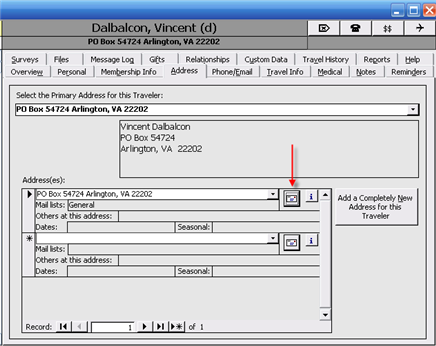
3. Go to the Traveler's Address tab and click on the envelope icon to open the Address record form.
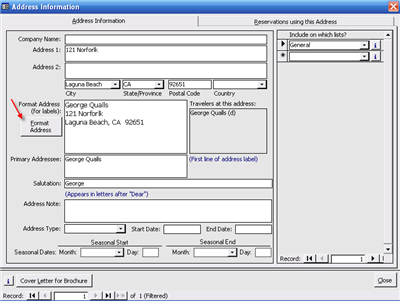
4. Once the Address Information form is open, click the Format Address button.
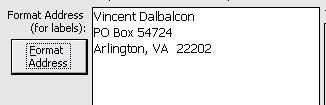
5. The Address label originally like this...
will look like this:
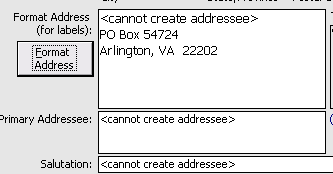
Note: If you have an address with more than one person, ViaTour will reformat and pull only the deceased Traveler's name from the formatted address label, primary addressee field and salutation.
6. If applicable, change the assignment of Mail Lists and add a note if necessary.
7.Click on the "Reservations Using This Address" Tab and use the update buttons to change all past and all future reservations.
Note: You can not delete the address - because ViaTour requires an address for all reservation records. Also, marketing analysis reports look at zip code or state, and it is handy to retain this data for past travelers, even ones who are deceased.