Contents
- Index
Creating Invoices from the Reservation Form
The Generate Invoice button is available only when the current traveler is a paying reservation.
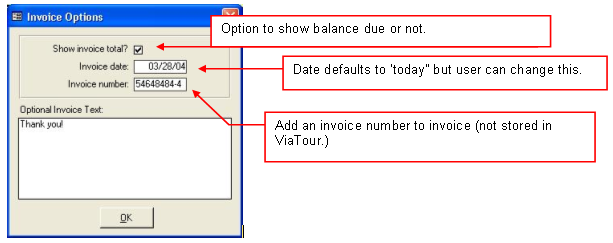
When you click the Generate Invoice button, a form appears that allows you to specify the Invoice Date (it will default to the current date) and to indicate whether you want a Total Balance Due to appear.
The Invoice totals all costs of all selected Tour Options for the current traveler as well as any additional travelers for whom the current traveler is paying.
It also sums any Payments received and credited to this traveler, and, if selected, displays the total balance due.
An invoice # may be printed on the invoice, by this number is not stored anywhere in ViaTour