Contents
- Index
Deleting a File or Unlinking Them
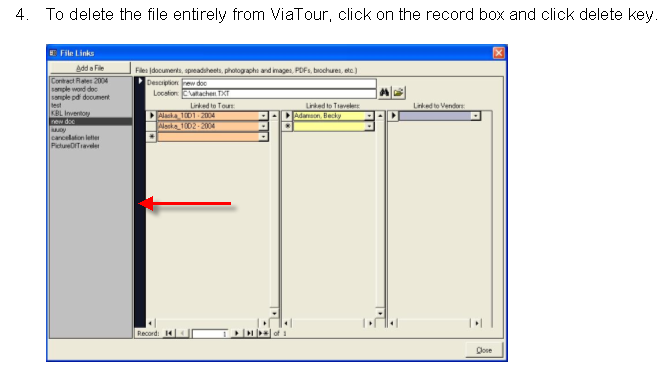
Users can modify the links of a file (add or unlink them from tours, travelers and vendors) or users can delete a file completely on the File Links Form.
1. Open the File Links Form by clicking on Files button on the Main Menu or from the Files Tab on the Traveler, Tour or Vendors Form.
2. Select the file from the gray list that you want to delete completely, or for which a link should be deleted (removed from a tour, vendor, or traveler record.)
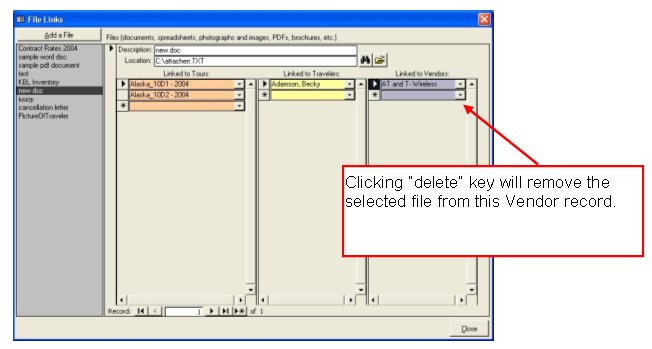
3. To unlink the file from a Tour, Traveler or Vendor, select the record that needs to be deleted, and click on the delete key on your keyboard.
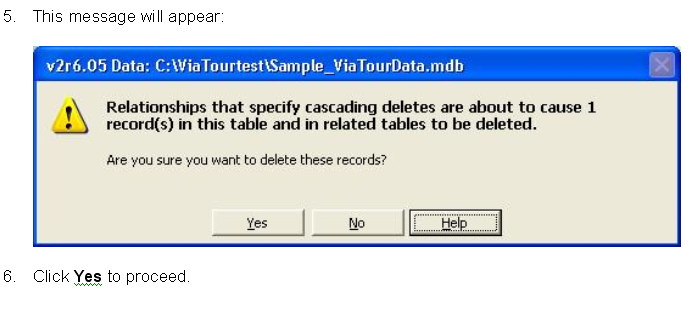
This message will appear:
Click Yes to proceed.