Contents
- Index
Tour Budget Tab
ViaTour's Tour Budget Tab allows you to project Income and Expenses and then Compare this budget compare against "actuals" to date in the interface, (Note: As of Aug 2006, reporting was still under development.)
Before beginning be sure you have set up the Account Codes to reflect what you need to track (see Adding and Editing Account Codes.)
The Revenue Budget section works slightly differently from the Expense section.
Revenue Budget
On the revenue side you budget an estimated number of paying passengers (how many sign ups you anticipate) and you budget the revenue per pax that you think you will earn. The total in the first column reflects your total budgeted income for the tour.
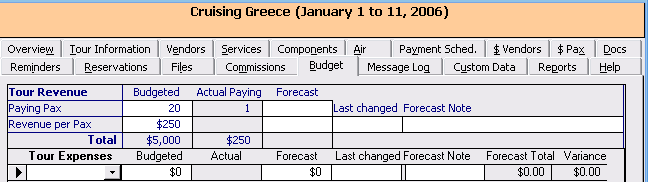
The Actual Paying column displays the total number of travelers with reservations that have a reservation status with "paying" in the ReportCategory column. See Adding Reservation Status in Code Table for a fuller explanation.) As you book or cancel travelers, this number will change, and so will the actual total column under actuals.
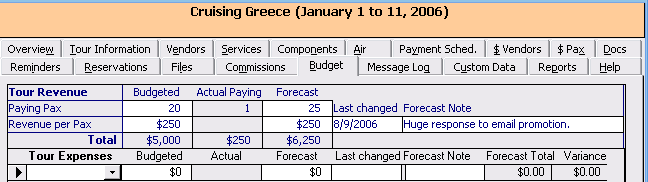
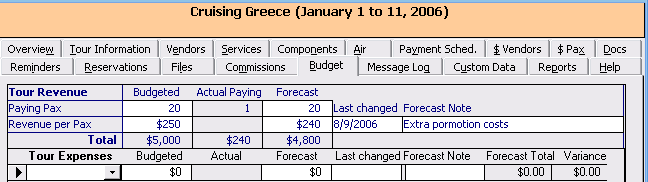
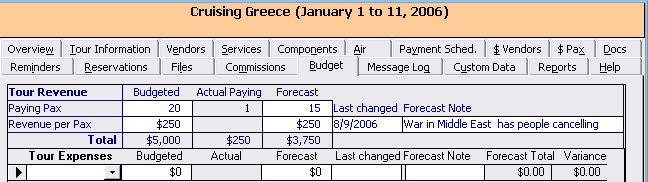
The Forecast Column allows you to "re-project" your budget. Here you can increase or decrease your projection, date when you made the adjustment, and add a note of explanation.
Example of increase in expected number of paying pax
Example of decrease in expected revenue per paying pax
Example of decrease in expected number of paying pax
When we create the associate reports, it will capture a snapshot of your budget, actuals and forecast. If you forecast monthly/quarterly/or bi-annually, you will need this output - or snapshot to compare to.
Expense Budget
Click on the Get All Expense Rows button on the bottom left of Tab.
You will get a message:
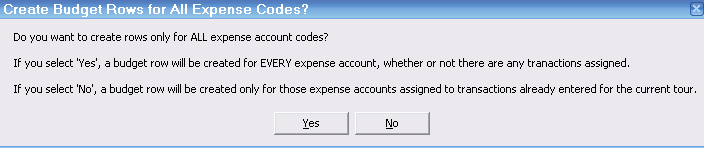
You can bring in all your expense rows, and then delete the ones that are not in your budget or you can add one row at a time for each expense code you wish to have in your budget. In this example I am only budgeting 3 expenses:
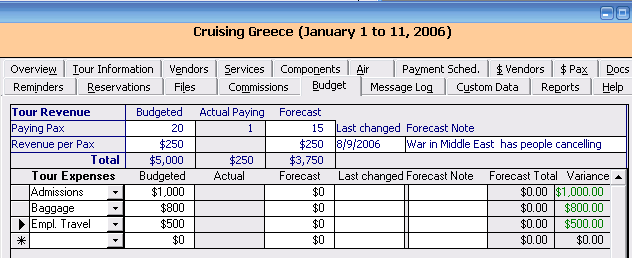
Just as with the revenue side, the expense side has an actual column. This column shows a sum all transactions to date for that account code. (Note: any transaction assigned to the tour, past present or future and to this account, is included.)
The Forecast Column is your new budget amount allows you to increase or decrease your budget amount on a certain date and why.
Forecast Total is ACtual plus forecast
Variance is Budgeted less forecast total.
To the right the Forecast total column sum so