Contents
- Index
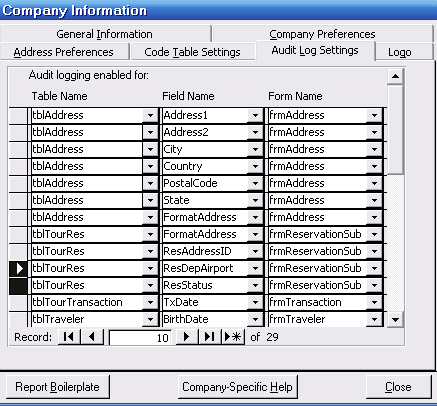
Setting Up Audit Log
1. Open System Maintenance
2. Click on Company Set Up.
3. Click on Audit Log Settings.
4. Add the table name - field name - form name.
Note: ViaTour audits based on which FORM data is entered on. Some fields (like transaction fields) can be entered on multiple forms. For auditing to be comprehensive all the possible forms must be entered in this table.
Example of Address Audit Trail
If you would like ViaTour to assist or review your audit trail set up - please let us know. This is included as part of annual maintenance.