Contents
- Index
Default for Traveler and Reservation Info Buttons
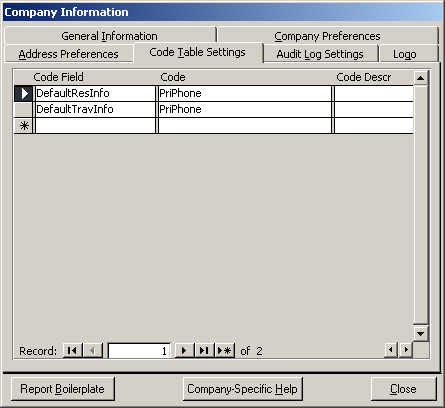
To set your company defaults:
1) Click on System Maintenance
2) Click on Company Set Up Button
3) Click on the Tab called "Code Table Settings"
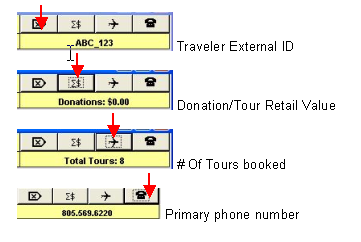
4) To set the Information that will display by default on the Traveler Form type into Code Field: DefaultTravInfo and enter into Code one of these values: ExtTravID, PriPhone, TotalValue,TotalTours (whatever you want to be your default)
5) To set the Information that will display by default on the Reservation Form type into Code Field: DefaultTravInfo and enter into Code one of these values: ExtTravID, PriPhone, PriEmail, Age, TotalValue, TotalTours (whatever you want to be your default)