Contents
- Index
Audit Reports
Audit tracking is available with PRO.
The Audit Report shows all changed values (old and new) based on criteria selected (date range, entity and/or fields.)
Steps to run report:
1. Select Audit Report
2. Select the Audit Entity or entities you wish included (if no selection is made all will be included)
3. Select the Audit Field or fields you wish to include (if no selection is made all will be included)
4. Enter an Audit Date, if you are only interested in changes with in a certain time frame.
5. Click Preview.
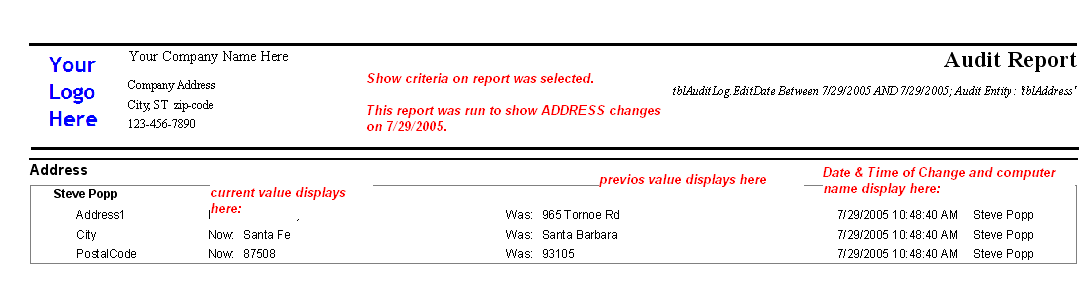
Note: the audit trail includes new records (blank to new value) and changed records. Deletions in ViaTour are permanent. When a record is deleted the audit trail is deleted as well.
Related Topics:
Setting up field auditing
Audit Log Settings Report