Contents
- Index
Setting Up Promotions
1. Open the Promotions Form from the Quick Access or Switchboard Main Menu.
2. On the Promotions Form click on the New Promotion button.
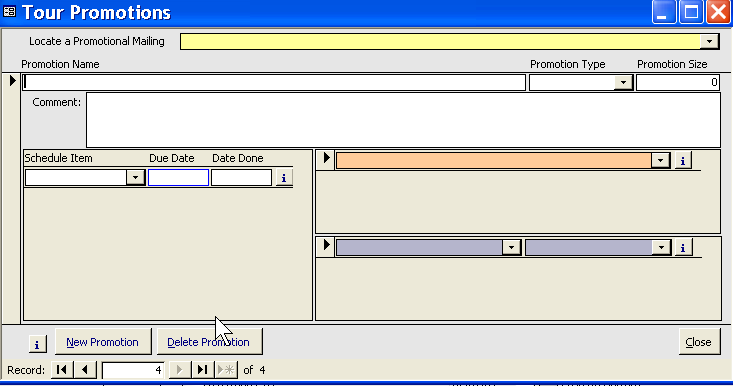
3. Assign the Promotion a Name. You may wish to create a naming convention. For example:
B_Paris05 (B_ represents Brochures)
E_Brazil (E_ represents Email Blast)
C_2005 (C_2005 represents Catalog for 2005 Tours)
The naming convention will help you find the right promotion when assigning it to a reservation.
4. Assign a Type. For example, "Ad campaign", "Email", "Brochure", "Catalog". See Adding, editing set up Look-up codes in System Maintenance, the code is Mailing Type.
5. Assign a number sent in the promotion size field. If you are entering a magazine ad, use the magazine's circulation figure.
6. Store notes and relevant comments.
7. Create a Promotion Schedule.
8. Assign the Promotion to a tour, several tours or no tours. (See Promotion Field definitions to see how this effects the promotion list display.)
9. Assign vendors for tracking printers, used, designers, etc.
Related Topics:
Promotions, Field Definitions
Promotion Schedule
Promotions for a Tour